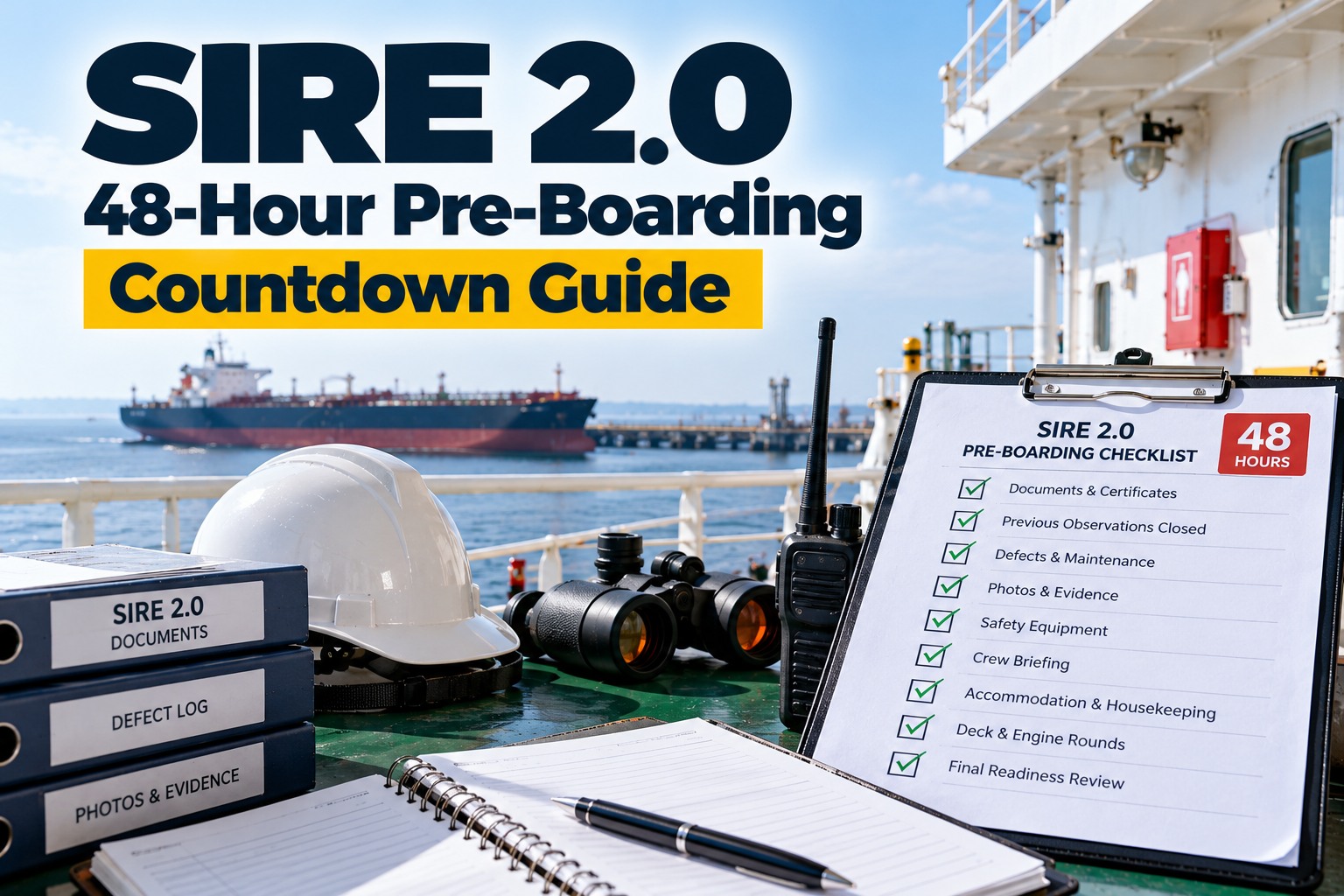
For a Marine Superintendent, the two days before a SIRE 2.0 inspector steps on board are not the time to find new problems. They are the time to confirm what is already in place, close what can still be closed, and make sure the ship, the crew and the paperwork all tell the same story. This guide sets out a 48-hour countdown, built around OCIMF's own pre-boarding timing and the inspection style it describes.
Why OCIMF's 48-Hour and Two-Day Rules Define Your Countdown
What OCIMF requires before boarding: declaration, uploads and refreshed information
OCIMF's SIRE 2.0 page says the operator declaration should be made not less than 48 hours before the planned inspection, and that operators are expected to upload all required information at least two days before. The vessel particulars questionnaire (HVPQ) documents permanent and infrequently changing information. The pre-inspection information questionnaire (PIQ) covers recent operational history. The certificate repository and the PIQ must be updated before each inspection, and photographs are refreshed at approximately six-month intervals or when the ship changes materially.
That is why the countdown starts at T-48: it is the latest point at which the paperwork side should already be settled. For the programme as a whole, see our SIRE 2.0 inspection guide to the OCIMF tanker vetting programme.
Why the question set stays hidden until the inspector is on board and what that means for preparation
OCIMF describes the CVIQ as a unique, vessel-specific set of questions compiled for each inspection. Core questions are fixed, while rotational questions are allocated over several inspections in an unpredictable way. The CVIQ is not available to operators beforehand, so the crew is expected to be ready for any relevant question. Our guide to SIRE 2.0 CVIQ question types: core, rotational, campaign and conditional explains the categories. Preparation therefore has to be broad and routine, not a hunt for the questions.
The 48-Hour Countdown: Six Checkpoints From Declaration to Boarding
What to do at each checkpoint, who leads it and how the hours build on each other
The ladder below gives the countdown in six checkpoints. Each one has a clear lead and a clear output, so that by the time the inspector arrives the paperwork is locked, the defects are dealt with, the crew know what to expect, and the ship has been walked by someone who looks critically at it. The timings and tasks are our suggestion, built on OCIMF's 48-hour and two-day rules.
How five workstreams overlap across the 48 hours so nobody is waiting on someone else
Not everything happens in sequence. Documents, photos, defects, crew briefing and walkrounds run at the same time, with different leads. The grid shows when each workstream is active. It is a planning aid for the Superintendent: print it, mark it up with names, and review it with the Master at T-48.
| Workstream | T-48 to T-36 | T-36 to T-24 | T-24 to T-12 | T-12 to T-4 | T-4 to boarding |
|---|---|---|---|---|---|
| Documents | Upload and declare | Check certificates and records | Final record review | ||
| Photos | Check photo age | Retake outdated photos | Photograph fixes | Final gangway and deck photos | |
| Defects | List open defects | Close or document each | Re-test repaired items | Check status wording | |
| Crew | Brief key officers | Brief all crew | Rest and focus | Meet and greet plan | |
| Walkround | Recurring-issue spaces | Spot checks | Final walkround |
Documents and Photos: Locking What the Inspector Will Already Have Seen
Why the HVPQ, PIQ, certificate repository and photo set need to match the ship as it is today
The uploaded information is the written record of your ship, so in our reading a mismatch between it and the ship shows up quickly. If a questionnaire says one thing and the ship shows another, the inspection starts with a gap. In the first twelve hours of the countdown, check each upload against the ship itself, and correct what has changed. A Kaiko analysis reported by Cyprus Shipping News found the vessel particulars questionnaire did not match the vessel in one quarter of inspections. That is vendor data, but it points at a simple, checkable risk.
How to use the photo refresh cycle to show the ship's real condition, not its best day
OCIMF's six-month photo cycle means the set should reflect a ship that has been maintained, not one prepared for the visit. Retake photos that are outdated or no longer true, and photograph each fix with a date. Dated photographs are your own evidence that a repair was done when you say it was done.
Defects: Closing, Documenting and Explaining What Is Still Open
How to decide in a day which defects can be closed, which can be documented and which need a plan
At T-36, pull the full defect list and sort it into three groups: items that can be closed before boarding, items that need parts or a yard and so cannot be closed, and items that need a decision. For the second group, write a status, an owner, a date and a short explanation of the interim measure. An inspector reading an open defect with a clear plan sees a ship under control. An inspector finding it first does not.
Why repeat findings from the last inspection deserve the first hour of your defect review
Repeats are the items the ship has already been told about. Check the last SIRE report and your own internal inspections first, and ask whether the correction treated the cause or only the symptom. Our SIRE 2.0 fleet-wide readiness and multi-vessel strategy guide shows how shore teams can track repeats across the fleet.
Crew Briefing: Preparing People for Observation and Interview, Not Rehearsal
What the crew should know about how a SIRE 2.0 inspection actually works
OCIMF says the inspector observes officers and crew performing normal day-to-day activities and expects to interview them on duties covered by the Question Library. Inspectors may not record video or audio, and the tablet does not need to be online. Tell the crew these facts plainly. The best briefing removes surprise and fear, and then lets people do their jobs as they normally do.
| Topic | What OCIMF says | What that means for you |
|---|---|---|
| Question set | The CVIQ is a unique, vessel-specific set of questions for each inspection. It is not available to operators beforehand. | Prepare for any relevant question, not for a list |
| Core and rotational | Core questions are fixed. Rotational questions are allocated over several inspections in an unpredictable way. | Cover the whole library, with extra time on core areas |
| Normal work | The inspector observes officers and crew doing their normal day-to-day activities. | Do not stage tasks. Run normal routines |
| Interviews | Officers and crew should expect to be interviewed on duties covered by the Question Library. | Prepare people for questions on their own duties |
| Recording | Inspectors may not record video or audio of the inspection on the tablet or a personal device. | No recording should be needed by either side |
| Tablet | The tablet does not need to be online during a physical inspection. | No need to arrange connectivity for it |
| Inspection length | No standard duration is stated. The tablet battery supports a ten hour inspection with a margin. | Plan for a long day, not a short visit |
How to prepare officers for interview questions without scripting their answers
A good officer answers from experience and can show the record. Give each officer a few minutes to check their own duties, records and equipment, and make sure they know where the evidence is. Do not hand out scripts. If an answer is unsure, a candid answer with a plan to check is better than a confident wrong one. This is our advice, not an OCIMF instruction.
The Pre-Boarding Checklist: Four Workstreams in One View
A checklist for documents, photos, defects and crew that fits on one page
Use the cards below as a starting point. The first, fourth and fifth documents items and the photo cycle come directly from OCIMF. The remainder is our suggested practice, so adapt it to your company's own procedures and your ship type.
T-0: Boarding, the Opening Meeting and the First Hour on the Ship
What the Master and Superintendent should do at the opening meeting and in the first hour
OCIMF says an opening meeting checklist covers what is required from the inspector, the master, officers and other staff, but the page we read does not give its contents. Treat the opening meeting as the place to agree how the inspection will run: where the inspector will go, who will accompany them and when interviews will take place. Keep cargo, safety and routine duties running, and appoint a note-taker to log what the inspector raises.
Why a ship that keeps running normally gives the inspector the most accurate picture
Because the inspection is designed to observe normal work, the ship that stays normal is the ship that gets assessed fairly. After boarding, the inspector has until the closing meeting to write up all negative observations, and the report is validated and submitted after they leave. Use your own notes from the day to prepare your operator comments, which are due within 14 days of the report being released.
Mistakes That Waste the 48 Hours
Six ways a pre-boarding countdown goes wrong, and how to avoid each one
Systems That Keep the Countdown Visible From Declaration to Closing Meeting
How a dated photo repository, task ownership and deadlines run the countdown for you
A 48-hour countdown is a project with small tasks, fixed deadlines and several owners. Marine Inspection supports a dated photo repository, observations turned into tasks with owners, deadlines and evidence, and certificate and equipment tracking. That lets the Superintendent see at T-12 what is still open, rather than hearing about it at T-0.