Replacing a marine inspection or maintenance platform is not an IT project with a go-live date. It is a change to the evidence system your class surveyor, flag inspector and Port State Control officer rely on, and it usually happens while every vessel is somewhere inside a five-year survey cycle. Pick the wrong week and the new system goes live just before an annual survey, with half the job history still in the old database and a MARPOL record book that has no valid Declaration behind it. Pick the right week, in the right order, and nobody outside the company notices the change. This guide sets out that order: what moves easily, what has to be re-approved, how to choose a cutover date from the class calendar, and the go/no-go checks for the day itself. If you are comparing platforms at the same time, start a free Marine Inspection trial on one vessel and run it against this plan.
What moves with a good export, and what has to be earned again
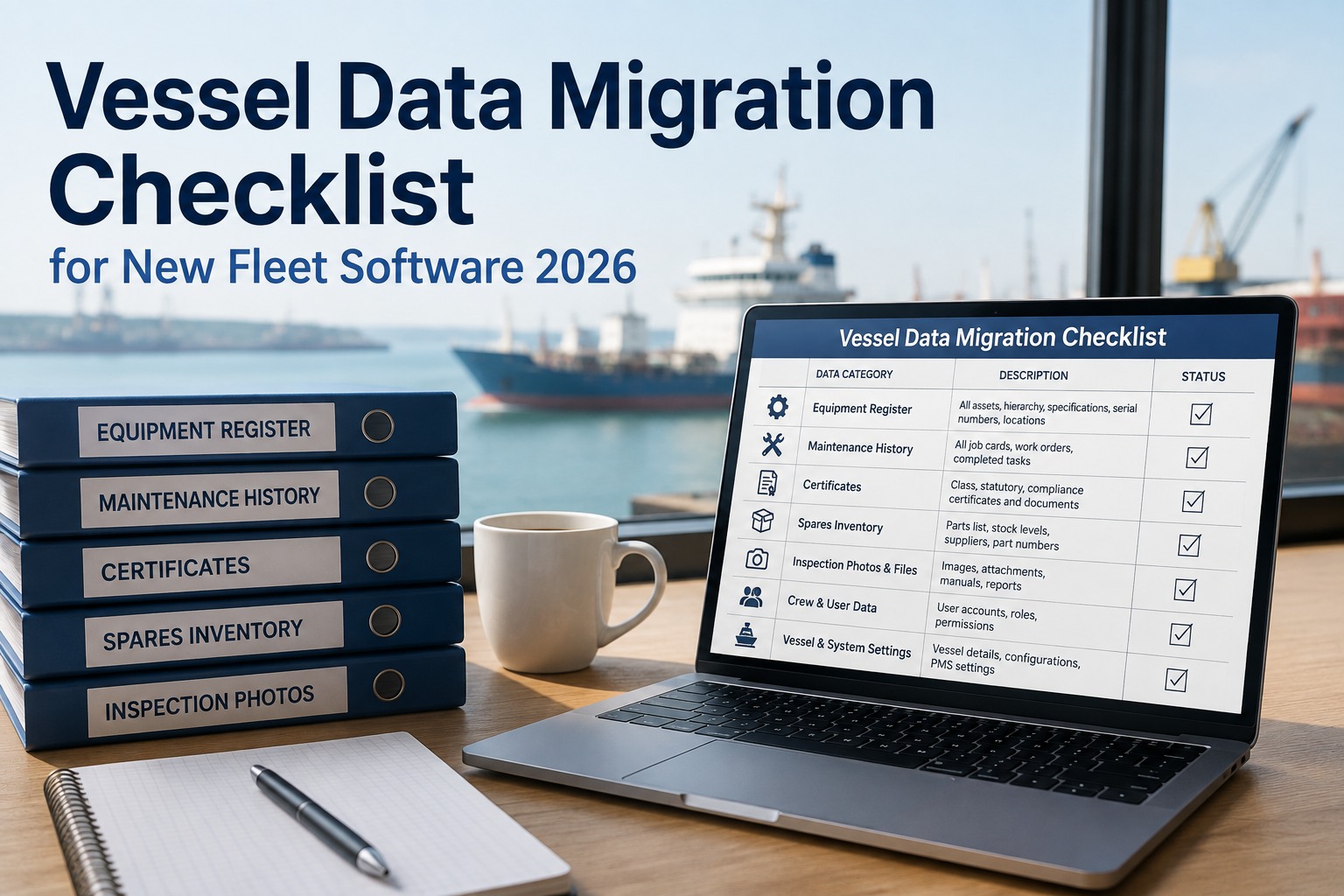
Most switching plans focus on data. Data is the easier half. The harder half is everything that was approved, audited or learned on the old system and does not travel inside an export file. Sort your fleet's dependencies into these two columns before you talk to any vendor. Our vessel data migration checklist covers the first column in detail.
- Equipment register and asset tree, with component codes
- Running hours and counter history
- Open and closed work orders, with dates and signatures
- Spare parts stock, part numbers and minimum levels
- Certificate and survey due dates
- Inspection reports, findings and photo evidence
- Class acceptance of the software behind an approved PMS scheme
- Flag approval and the ship-specific Declaration for MARPOL electronic record books
- SMS procedures and forms that name the old system
- Integrations with procurement, crewing and accounts
- Crew habits, shortcuts and trust in the new app
- Vendor support history and known workarounds
Choose the cutover date from the class calendar
Class work runs on a harmonised five-year cycle. Annual surveys fall within three months either side of each anniversary date, the intermediate survey is held at the second or third annual, and the renewal survey can begin from the fourth anniversary. A new system should never be bedding in during any of those windows. Map each vessel on the strip below and pick a quiet quarter. The compliance calendar in Marine Inspection can plot these windows for the whole fleet at once.
The switch sequence, step by step
Each step below has an owner and a rough week range for a small to mid-size fleet with reasonably clean records. Data quality moves the timeline far more than the software does. For the full rollout calendar, see our eight-week implementation timeline.
Pull a full export from the current system and count it: equipment records, open jobs, attachments, custom fields. Anything the export drops, such as free-text engineer notes or photos, needs a plan before you sign anything new.
Your leverage with the outgoing vendor ends the day notice is served. Agree export format, read-only access and parallel-run support first (the clauses are listed further down).
Confirm how your class society will treat the change for any vessel on an approved PMS, and start the flag approval route for electronic record books. These lead times, not the software, usually set the earliest safe cutover.
Rebuild the asset tree so every component code in the new system matches the physical tag on the machine. Surveyors check this first, and a mismatch undoes months of history.
Run both systems on one ship for at least one full reporting cycle, entering the same jobs twice and comparing outputs. Our single-vessel pilot guide sets out what to measure.
Plan training around who will be on board at each vessel's cutover, including the relief crew already scheduled to join.
Close open jobs or carry them across, then set the legacy system to read-only on a fixed date. A writable old platform keeps part of the crew on it and leaves the new one half adopted.
Run an internal check against the new records: overdue list, postponement reasons, counter readings, certificate dates. Fix gaps while there is still time.
The rollout at a glance
The same eight steps on a twelve-week chart. The bars overlap on purpose. Approvals and data cleansing run while the exit is still being negotiated, which is what keeps the first vessel's cutover inside a quiet survey quarter. Walk through this plan with a specialist using your own vessel dates.
Approvals that do not transfer on their own
These are the items that turn a smooth data migration into a deficiency. None of them is difficult, but each has a lead time that belongs at the front of the plan, not the back. For background on class-approved maintenance schemes, read our guide to a class-aligned planned maintenance system.
| What | Who decides | What switching triggers | How to handle it |
|---|---|---|---|
| Approved PMS scheme (machinery survey credit) | Classification society | The software must be accepted by the society, by type approval or case by case. Approval routes commonly expect months of live history, and a change of manager or class can lapse the approval. | Speak to class before signing. Migrate the complete job history so the credit trail stays continuous. |
| MARPOL electronic record books (Oil, Cargo, Garbage, ODS) | Flag Administration, or an RO where authorised | Approval and the Declaration are ship-specific and tied to the installed software, so a new application needs its own approval under MEPC.312(74). | Keep the old approved book, or paper, in use until the new Declaration is on board. |
| Electronic Ballast Water Record Book | Flag Administration | Electronic BWRBs follow their own IMO guidelines (MEPC.372(80)) and approval route. | Treat it as a separate approval from the MARPOL books. |
| SMS procedures and forms | Company and DPA, verified at ISM audit | Any procedure, form or checklist that names the old system becomes inaccurate on cutover day. | Revise under document control and brief crews before go-live. See ISM compliance tracking. |
| Vetting and inspection evidence | Your own records | Past SIRE, PSC and internal inspection records must stay retrievable for charterers and auditors. | Migrate them, or archive read-only with a named person who can retrieve them. |
Sort every record into one of three lanes
Not everything needs to move into the new database. Migrating dead records slows cleansing and clutters the history surveyors read. Decide the lane for each record type, write it down, and give the list to the vendor. The maintenance module accepts both live data and read-only history.
Records the crew will act on from day one.
- Current equipment tree and tags
- Open work orders and deferrals, with approvals
- Counters and next-due dates
- Stock on board and critical spares
- Certificates and survey windows
Records a surveyor or auditor may ask to see.
- Closed jobs for the current class cycle
- Measurements and condition readings
- Inspection findings and photos
- Defect and incident closures
Kept for retention periods, not for daily use.
- History from earlier class cycles
- Equipment already removed from the ship
- Old purchase and invoice records
- Full database backup from the legacy platform
Put these into writing before you give notice
Legacy exports often drop custom fields, attachments and free-text notes, and once the old system is switched off that history is gone. The protections below cost the outgoing vendor little to agree up front and are almost impossible to get later. The hidden costs of implementation are often found in exactly these gaps.
Every table, attachment and photo, in an open format such as CSV or SQL, with a field dictionary.
Legacy login kept for audits after cutover. Long enough to cover the next annual survey is a sensible minimum.
The contract end date follows your cutover plan, not the licence renewal date.
Support stays live while the pilot vessel runs both systems.
Documentation for any links to procurement, crewing or accounts, so they can be rebuilt.
Written confirmation that company and crew data is deleted once the export is verified.
Train around crew rotation
Crews change every few months, so a single training week reaches only the people on board at that moment. Train the officers who will be on board at cutover, and also the relief crew already scheduled to join. Make the new app part of pre-joining briefings for everyone else. Our crew training plan for a software rollout has a role-by-role schedule, and the offline inspection app can be installed on crew phones before they join.
Go or no-go on cutover day
Hold a short call with the master, the chief engineer and the shore superintendent the day before. If any line below is not met, move the date. A one-week delay costs far less than a new system going into a survey with gaps. Set up your pilot vessel to rehearse this check before the real one.
Frequently asked questions
Can we switch software in the middle of a class cycle?
Yes, and most fleets have to, because vessels are rarely at the same point in their cycles. The rule is to avoid the three months either side of each annual survey date, the renewal survey period and drydock. Cut over in the quiet quarter after an annual survey closes.
Will we lose machinery survey credit under an approved PMS?
Credit already granted sits in the class records, not in your software. Keeping the scheme running depends on the class society accepting the new system and on your job history staying continuous. Talk to class before you sign, and migrate the full history for the current cycle.
Do our electronic Oil and Garbage Record Books need new approval?
Yes. Approval under the IMO electronic record book guidelines, MEPC.312(74), is tied to the software and the ship-specific installation. Keep using the existing approved book, or paper, until the new Declaration is on board.
Should we run the old and new systems in parallel?
On one pilot vessel, yes, for at least one full reporting cycle. Across the fleet, no. Set a firm read-only date for the old system at each cutover so crews are not left entering data twice.
How long does a switch take?
For a small fleet with clean records, a couple of months from audit to the first live vessel is realistic. Large fleets with heavy customisation take much longer. Approval lead times and data quality set the pace, not the software.


.png)