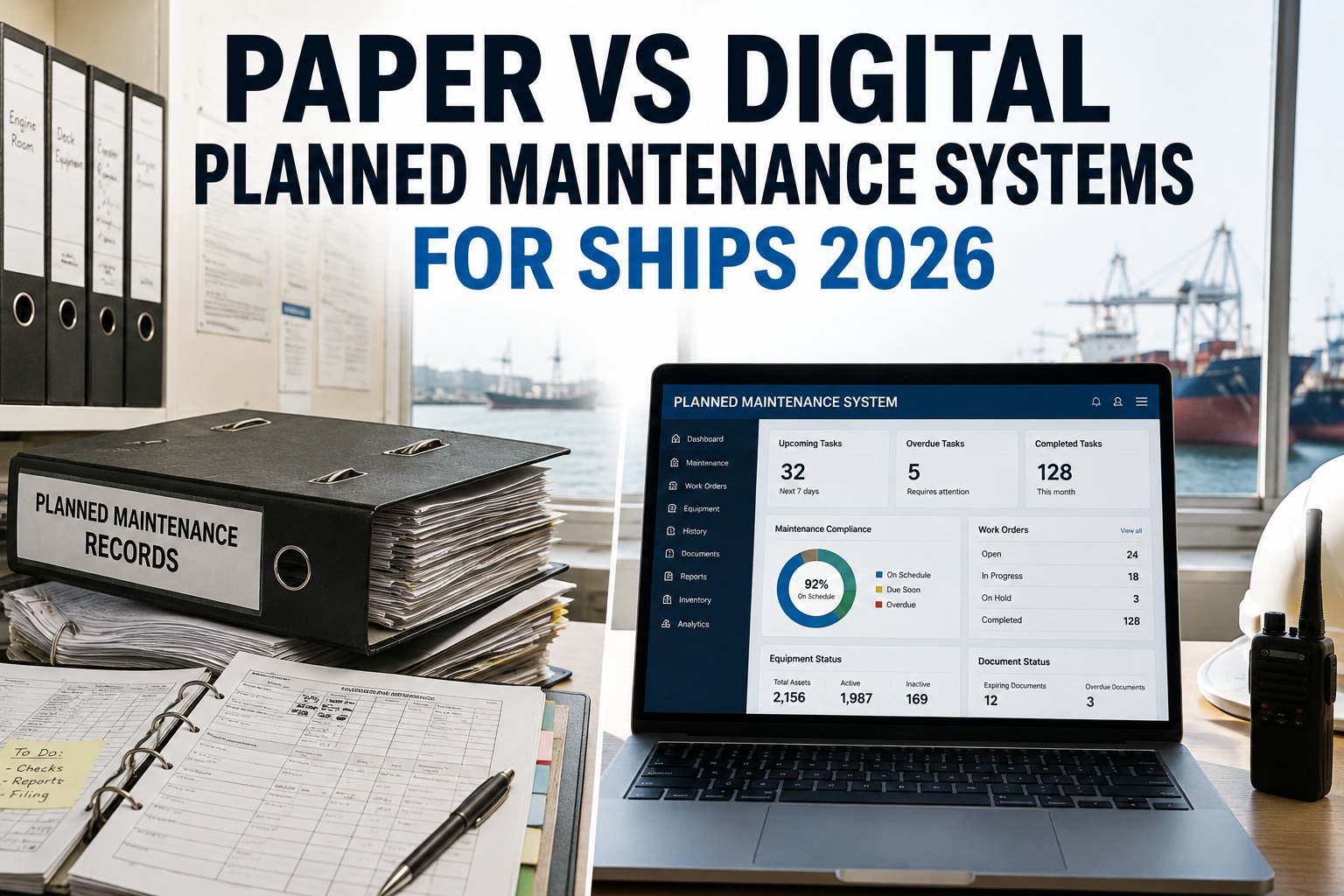
The core logic of maintenance management is universal — work orders, preventive schedules, equipment registers and spare-parts inventory work much the same whether you are running a factory or a fleet. That universality is exactly what tempts operators to reach for a general, land-based CMMS like the polished industrial platforms built for plants and facilities, and it is exactly where the trouble starts. Because while the maintenance logic transfers, the maritime context does not: a ship operates with intermittent connectivity far from shore, runs against a class-survey clock that never stops ticking, must produce an ISM audit trail on demand, and organises its equipment by vessel rather than by plant floor. A general CMMS understands none of these things, and operators who try to adapt one typically discover during their first Port State Control inspection that the workarounds are not durable. This guide sets out the real difference between a marine CMMS and a general one — not as a feature checklist, but as the four things a ship needs most that land-based software was never built to provide, so you can filter any shortlist correctly before you sit through a single sales demo. To see a purpose-built marine CMMS running on a real vessel's equipment register, book a demo or start a free trial.
BUYER RESOURCE · CMMS COMPARISON
Marine CMMS vs General CMMS: Why Land-Based Software Fails at Sea
The maintenance logic is universal — the maritime context is not. Here are the four things a ship needs most that a general, land-based CMMS was never built to provide, and how to filter your shortlist before a single demo.
Same Logic, Different World
It is worth being clear about what a general CMMS gets right, because that is what makes the trap so easy to fall into. The fundamentals of maintenance management genuinely are shared across industries: scheduling preventive tasks, raising and closing work orders, tracking equipment and managing spares are the same disciplines at sea as on land, and a mature industrial CMMS does them well. Buyers searching for maintenance software often use the terms interchangeably, and for good reason.
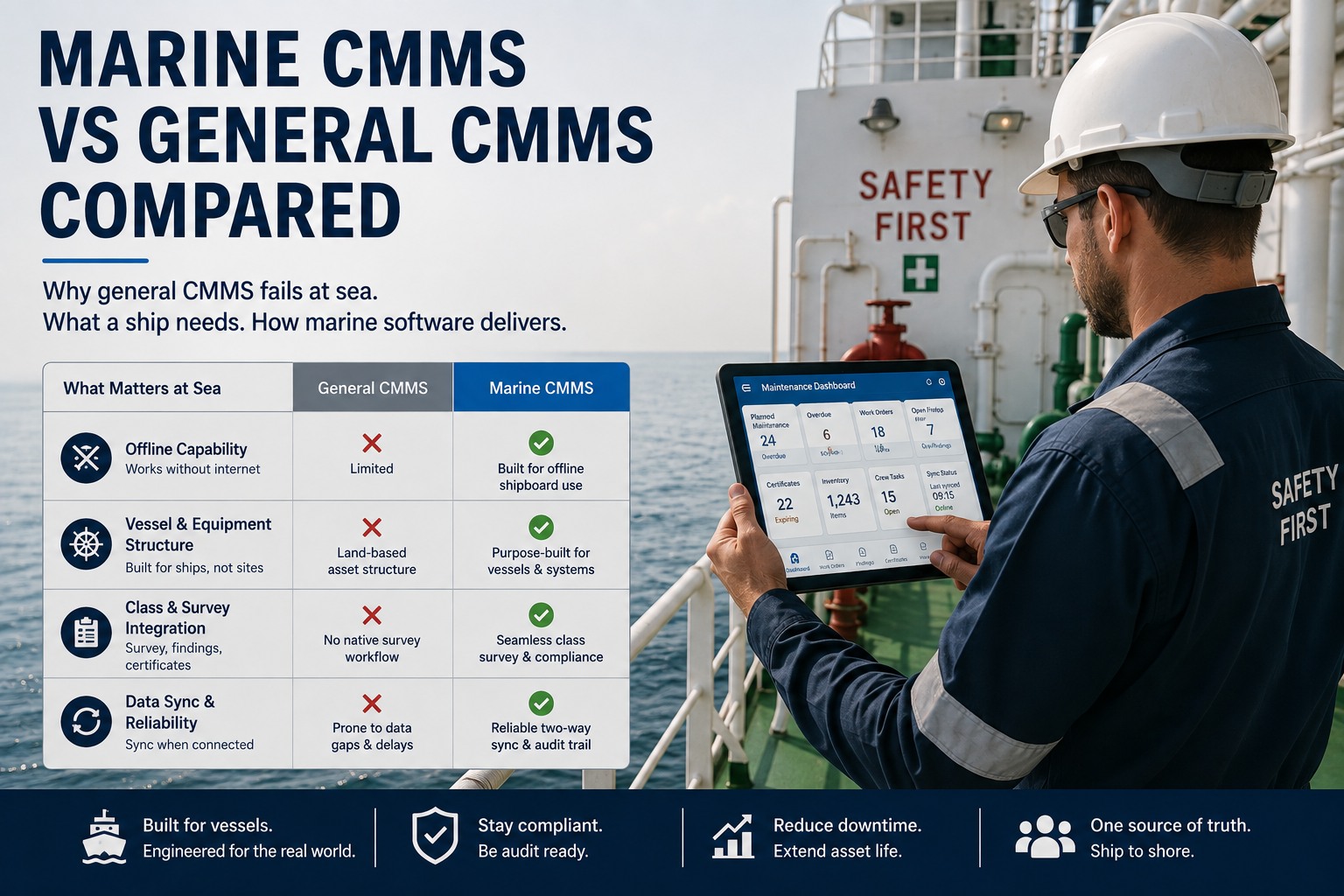
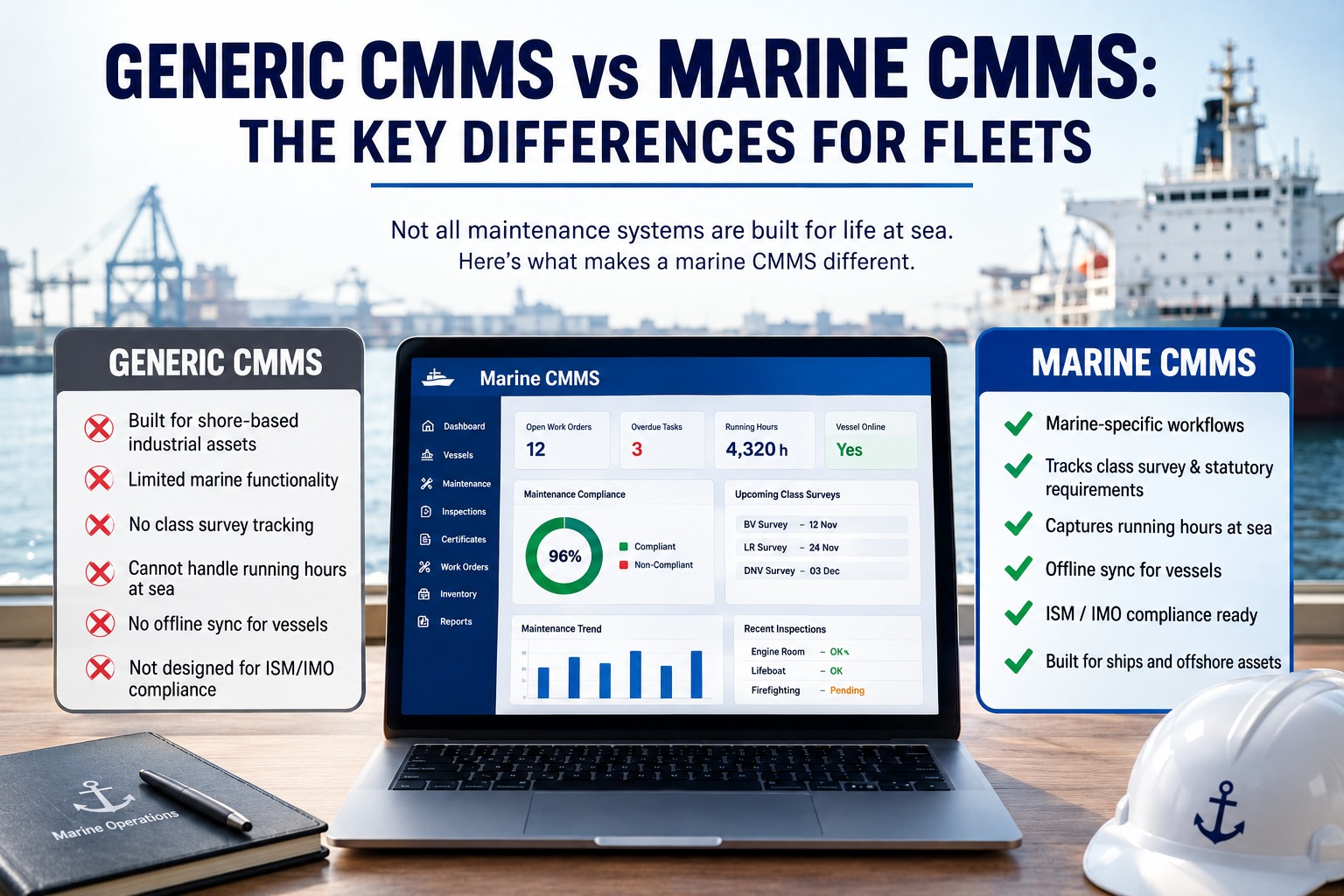
Where the two part company is not in the maintenance logic but in the operating environment. A general CMMS is built on three assumptions that simply do not hold for a ship: that connectivity is constant, that assets are laid out like a plant floor, and that there is no external survey clock governing when maintenance must be verified. A ship breaks all three. It sails for weeks with intermittent or no connectivity, its equipment follows a vessel-system-component hierarchy rather than a factory layout, and it lives under class-society survey windows and ISM obligations that a land-based system has never heard of. The result is that a general CMMS does not so much fail outright as fail quietly — until an audit or an inspection exposes the gap.
The Comparison That Matters
Set the two side by side on the dimensions that actually determine fitness for a vessel, and the divergence is stark. This is the comparison to run before any feature-by-feature evaluation.
Dimension
General CMMS
Marine CMMS
Connectivity
Assumes constant network; a cloud-only tool stalls mid-ocean
Full offline operation with ship-to-shore sync when the link returns
Class surveys
No concept of survey windows or Continuous Machinery Survey
Aligns maintenance to class survey and certificate windows
Audit trail
Not built to serve as ISM or PSC survey evidence
Doubles as the ISM-traceable audit trail inspectors ask for first
Equipment tree
Plant-floor asset layout
Vessel-system-subsystem-component hierarchy with running-hour triggers
Fleet view
Designed for single-site operations
Fleet-level architecture across every vessel from one dashboard
Each row is a place where a land-based tool forces a workaround, and workarounds are precisely what surveys and inspections find fault with. To see the marine side of this table working on your own fleet's data, book a demo or start a free trial.
The Four Things a Ship Needs Most
Distilled to essentials, four capabilities separate a marine CMMS from a general one. These are non-negotiable for a vessel, and if a platform misses any of them it should leave your shortlist regardless of price or polish.
01
Ship-shore offline sync
A vessel cannot rely on constant internet, so the system must operate fully offline and synchronise ship-to-shore when the link returns. The chief engineer completes a task at sea; the superintendent must see it without a back-office translation step. A cloud-only CMMS that assumes both are on the same network stalls the moment the vessel is out of range — which is most of the time.
02
Class survey integration
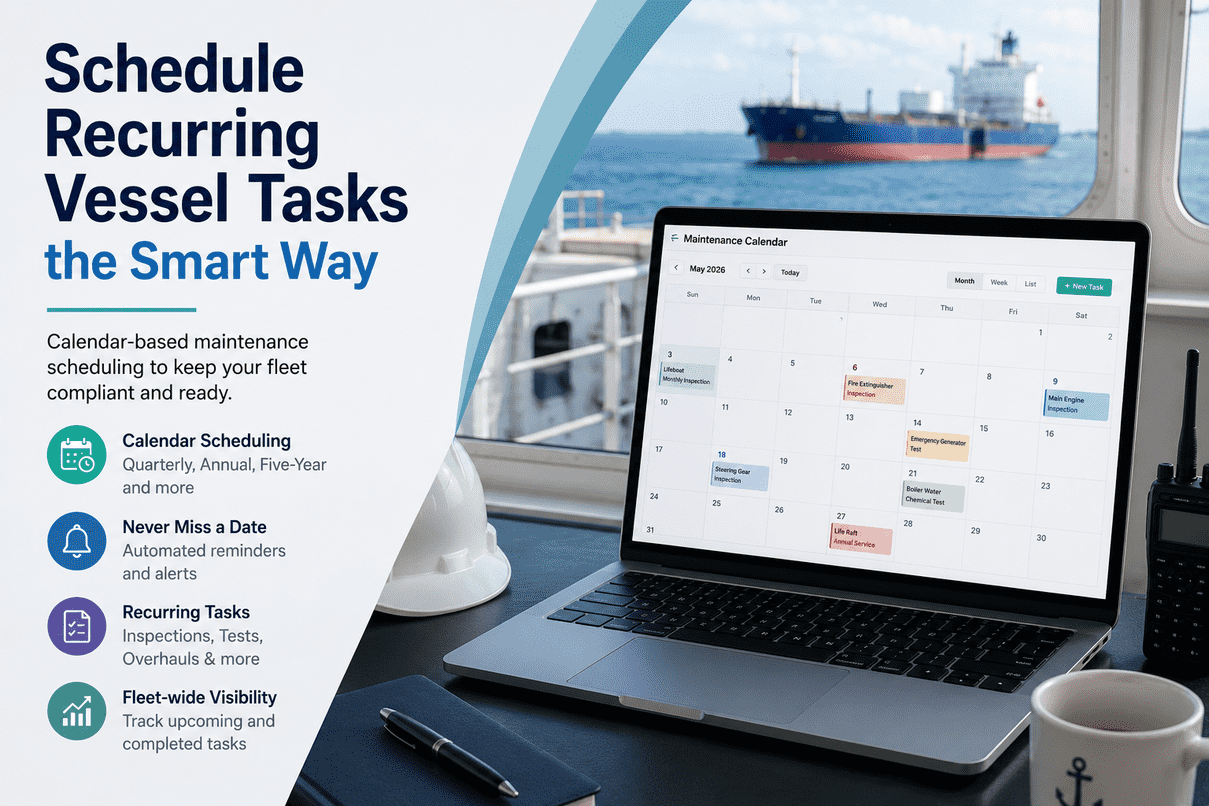
Classification societies layer their own survey windows — annual, intermediate and special — on top of routine maintenance, and a marine CMMS must align its scheduled tasks to those windows and to certificate expiry. A general CMMS has no concept of them, so superintendents end up keeping a parallel spreadsheet to track surveys, defeating the purpose of the software — and overdue class-related items can lead directly to detention.
03
ISM audit trail
Under ISM Code Element 10, a documented Planned Maintenance System is mandatory for passenger ships, cargo ships of 500 gross tons and above, and mobile offshore drilling units — and class verifies it is a genuine operational system, not a folder of templates. Every maintenance activity must be traceable, so the marine CMMS doubles as the audit trail a Port State Control officer asks for first. A general tool was never built to serve as that evidence.
04
Mobile crew capture at the point of work
The value of the system depends on crew actually recording work where it happens — in the engine room, on deck, at the component — on a mobile device that works offline, with running hours fed from onboard machinery rather than typed in later. A desktop-bound, connectivity-dependent general tool pushes crew back to paper and re-entry, breaking the very record the system exists to keep.
Filter your shortlist on the four before you demo
Offline sync, class survey integration, ISM audit trail, mobile crew capture — if a platform misses any one, it leaves the list regardless of price. See all four working on a real vessel, or load your own equipment register in a free trial.
When a General CMMS Is Actually Fine
In fairness, a general CMMS is not a bad product — it is a good product used in the wrong place. There are maritime-adjacent settings where a land-based CMMS is perfectly appropriate, and being honest about them sharpens the point about where it is not.
For a shipyard, a shore workshop, an office or a warehouse — any fixed facility with constant connectivity, a conventional asset layout and no class-survey obligations — a general industrial CMMS is a sound choice, and often a better-value one than a specialised marine platform whose maritime features would go unused. The distinction is not that marine software is universally superior; it is that a vessel at sea imposes constraints a factory never faces, and those constraints are precisely where a general tool breaks down. So the question is not "which CMMS is best" in the abstract, but "is this system going on a vessel or on shore?" For the vessel, the four maritime capabilities are decisive; for the shore facility, they are irrelevant. Matching the tool to the environment is the whole of the decision, which is why a mixed operator may sensibly run a general CMMS ashore and a marine CMMS afloat.
Why It Shows Up at Inspection
The reason this distinction matters so much in practice is that the gaps in a general CMMS do not reveal themselves in day-to-day use — they reveal themselves at the worst possible moment, under inspection. A platform can look perfectly serviceable running routine work orders right up until a Port State Control officer, a class surveyor or a charterer's auditor asks for evidence in their expected format, and the workarounds collapse.
That is when the missing survey integration means an overdue class item nobody flagged, when the absent audit trail means hours of binder-pulling to reconstruct what a marine system would answer in one query, and when the lack of offline capture means the maintenance history simply is not complete. A class-society-approved, purpose-built maritime CMMS pays for itself many times over in avoided detentions, reduced compliance overhead and faster audits, precisely because it is built to produce the right evidence for each authority on demand — and because it shifts the fleet from fixing failures to preventing them, delivering the twenty to thirty per cent maintenance-cost reduction the industry consistently reports. The general tool saves a little on the sticker and costs a great deal at the survey. To make sure your maintenance system answers the inspector rather than exposing you to one, book a demo or start a free trial.
Frequently Asked Questions
What is the difference between a marine CMMS and a general CMMS?
The maintenance logic is the same — both handle work orders, preventive scheduling, equipment registers and spare parts — but a marine CMMS is purpose-built for the constraints of a vessel that a general, land-based CMMS was never designed for. A general CMMS assumes constant connectivity, a plant-floor asset layout, and no external survey clock. A ship breaks all three: it operates offline for long periods, organises equipment by a vessel-system-component hierarchy, and lives under class-society survey windows and ISM obligations. So a marine CMMS adds offline ship-to-shore synchronisation, class survey and certificate integration, an ISM-traceable audit trail, a vessel-specific equipment tree with running-hour triggers, and a multi-vessel fleet view. The terms are often used interchangeably because the core discipline overlaps, but the maritime-specific capabilities are what make a system fit for a ship.
Can I just use a general CMMS like Fiix or Limble on my vessels?
You can try, but operators who adapt a general industrial CMMS for shipboard use typically discover during their first Port State Control inspection that the workarounds are not durable. General platforms lack native maritime functionality: class-society type approval, IMO compliance tracking, statutory certificate management, vessel-specific asset hierarchies, and offline operation tested for engine-room and at-sea conditions. The maintenance features may work day to day, but the moment a class surveyor or PSC officer asks for survey evidence or an ISM audit trail in their expected format, the gaps show. Overdue class-related maintenance items, which a general tool has no way to flag, can lead directly to detention. For any vessel under SOLAS, a class-society-approved purpose-built maritime CMMS avoids these risks and generally pays for itself many times over in avoided detentions and faster audits.
What are the four must-have marine CMMS capabilities?
Four capabilities separate a marine CMMS from a general one, and a platform missing any of them should leave your shortlist regardless of price. First, ship-shore offline sync: full offline operation with clean synchronisation when connectivity returns, since a cloud-only tool stalls mid-ocean. Second, class survey integration: alignment of maintenance tasks to classification-society survey windows and certificate expiry, so overdue class items cannot slip through. Third, an ISM audit trail: every maintenance activity traceable, so the system doubles as the evidence a Port State Control officer or class surveyor asks for first, satisfying the mandatory documented PMS under ISM Code Element 10. Fourth, mobile crew capture: recording work at the point it happens on an offline-capable device, with running hours fed from onboard machinery. Together these reflect the maritime context a factory-oriented tool was never built to handle.
Is a general CMMS ever the right choice for a shipping company?
Yes — for the right part of the operation. A general industrial CMMS is a sound, and often better-value, choice for fixed shore facilities: a shipyard, a shore workshop, an office or a warehouse, where connectivity is constant, the asset layout is conventional, and there are no class-survey obligations. In those settings the maritime-specific features of a marine platform would simply go unused. The distinction is not that marine software is universally superior but that a vessel at sea imposes constraints a fixed facility never faces. So a mixed operator might sensibly run a general CMMS for its shore assets and a marine CMMS for its vessels. The decision comes down to a single question: is this system going on a ship or on shore? For the ship, the four maritime capabilities are decisive; for the shore facility, they are not relevant.
Why do the gaps only show up at inspection?
Because a general CMMS handles routine maintenance perfectly well in day-to-day use, so the missing maritime capabilities stay invisible until an authority asks for something only a marine system can produce. Running work orders and preventive schedules, a general tool looks entirely serviceable. The gap appears when a Port State Control officer, a class surveyor or a charterer's auditor requests survey evidence, certificate status or an ISM audit trail in their expected format — and the absent survey integration, missing audit trail and incomplete offline-captured history all surface at once. That is the worst possible moment to discover the workarounds do not hold, since overdue class items can mean detention and reconstructing records means hours of binder-pulling. A purpose-built marine CMMS avoids this by being built to answer each authority on demand, which is why the distinction matters far more than a routine feature comparison suggests.
Match the Tool to the Environment
A general CMMS is a good product in the wrong place when it goes to sea. A vessel needs offline ship-shore sync, class survey integration, an ISM audit trail and mobile crew capture — the four things land-based software was never built to provide. Marine Inspection is purpose-built for exactly these constraints, class-aligned and audit-ready. Load a real vessel's equipment register and see the difference before you decide.