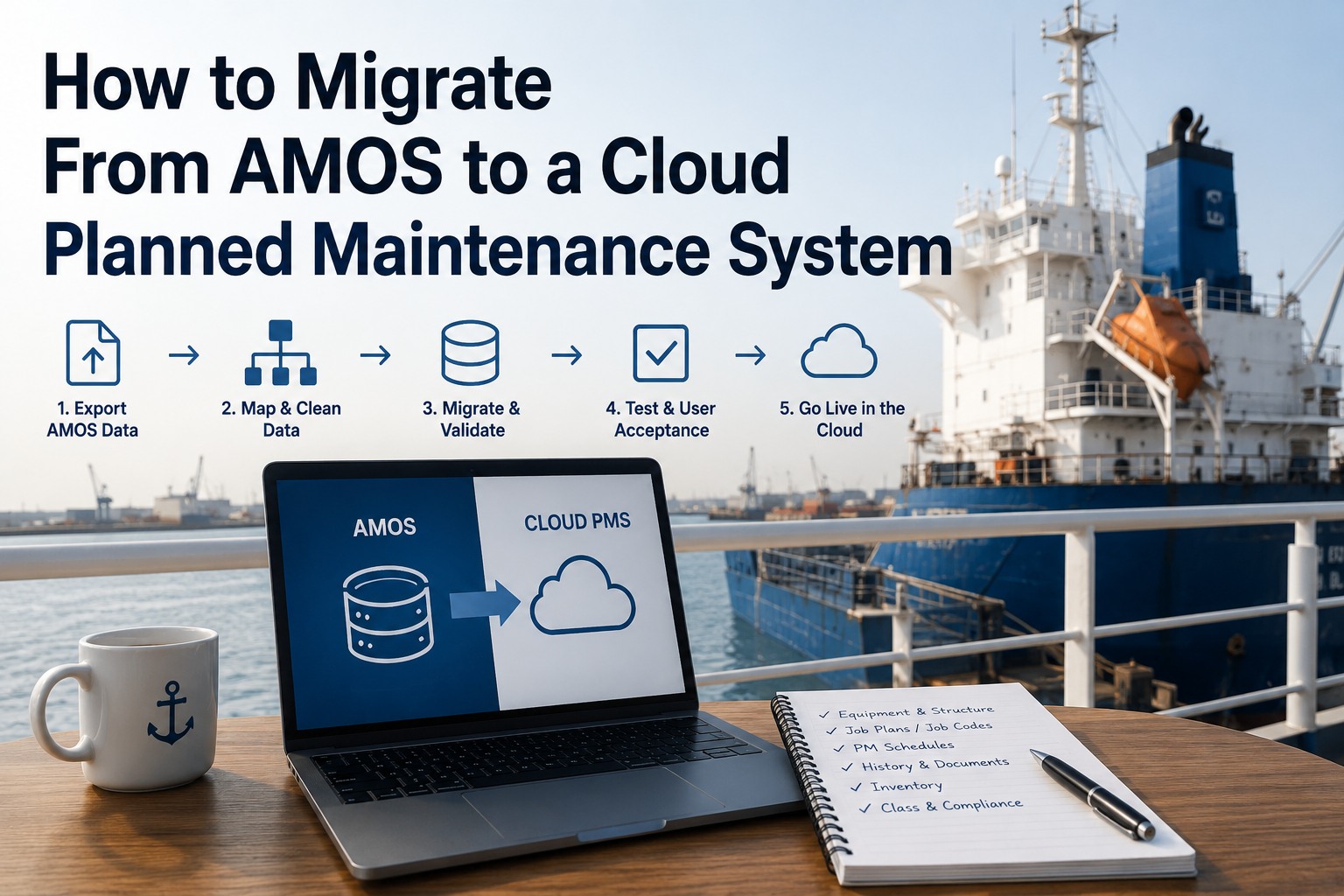
The difficult part of leaving AMOS is not getting the data out. AMOS runs on MSSQL, Oracle or Sybase, and data in a relational database can be extracted. The difficult part is that four decades of maritime deployment have left behind configuration decisions nobody currently working at your company made, and an equipment structure that almost certainly differs between vessels acquired at different times. SpecTec's own migration guidance names the problem first when discussing moves into AMOS, and it applies identically on the way out: inconsistent equipment naming conventions across vessels. Their advice on that is also correct in both directions — migrating shipboard maintenance data is not a simple export or import task, the goal is not just to move data but to optimise it, and the question to start with is what data actually adds value, because not every data point is useful. It is worth saying plainly that operators rarely leave AMOS because the software cannot do the job. AMOS-D was the first purpose-built vessel PMS, shipping in 1984, and the suite runs across a reported three thousand vessels and more than three hundred customers. People move when the fit drifts — when crews work on phones and the system expects a desktop in the ship's office, or when the upgrade path needs an IT project every cycle. Start a free trial of Marine Inspection and test the target before planning the move.
Not the hard part
Extraction
The database is MSSQL, Oracle or Sybase. Tables can be read, records can be exported, and the technical path out exists. This is the part people worry about and it is the part with a known answer.
The hard part
01Equipment naming that differs between vessels, because they were configured in different years by different people
02Job codes whose meaning lives in the head of whoever set them up, if that person is still here
03Deciding which history earns its passage, rather than moving everything by default
04Keeping the class-approved maintenance position demonstrable across the cutover
05Doing all of it across a fleet whose vessels are never in the same place at the same time
First Question: Are You on SFI?
This single answer determines the difficulty of everything that follows, and most people can establish it in an afternoon. Book a Marine Inspection demo and bring the answer, because it changes the conversation entirely.
Why it matters
SFI is an industry classification, not a vendor format. An equipment tree structured on it is portable in a way that a bespoke hierarchy is not.
What SFI does
It provides a recognised, standardised way to categorise equipment and ship functions, enabling better data organisation, smoother transfers and faster usability after a migration. SpecTec's own guidance recommends incorporating SFI classification during a migration where the source system lacks it, precisely because it prevents future inefficiencies.
If your AMOS deployment uses it
You are carrying a portable structure. The equipment hierarchy maps to something a receiving system can understand without you having to explain what each level means, and vessel-to-vessel comparison is possible from day one rather than after a reconciliation exercise.
If it does not
Then the migration is also the moment to introduce it, using exactly the same reasoning the incumbent applies to migrations in the other direction. That adds work to the project and removes considerably more from every year afterwards — and it is the only realistic opportunity you will get.
What Is Actually in There
Scope the migration by object rather than by module, because the modules were configured for the way your company worked when they were switched on. Sign up for Marine Inspection and map each object to a destination before anything is exported.
Equipment register
The hierarchy itself — vessel, system, component, and however many levels below that a previous administrator considered useful. The single most important object, because everything else attaches to it.
Check: does the depth and naming match across all vessels?
Job templates and codes
The planned maintenance definitions — what work exists, at what interval, against which counter, with what acceptance criteria where they were recorded. Job codes are frequently the least documented object in the whole system.
Check: does anybody still know what each code means?
Maintenance history
Completed work orders with dates, and in a well-run deployment the measured values and condition found. This is the object that carries class weight and the one you will be asked about at survey.
Check: how many years actually contain useful detail?
Running hours
Counter readings per unit, which drive interval triggers on the destination side. Discontinuities here produce jobs falling due immediately or not at all after cutover, and both look like a broken migration.
Check: are counters current, and do they reconcile to the machine?
Spares and inventory
Stock control of spare parts and expendables, with part identification, locations, minimum levels and the link between a part and the equipment it serves. That last link is the one that most often survives poorly.
Check: does the stock figure reflect the shelf?
Certificates and compliance records
Regulatory compliance tracking, survey positions and certificate windows. Frequently held partly in the system and partly in a folder, which is worth establishing before you assume the system holds it all.
Check: what is in the system versus in a spreadsheet?
Purchasing and procurement
Requisitions, orders and supplier data. Whether this travels depends on whether the destination handles procurement or whether it stays with a separate system — a scope decision to make deliberately rather than by omission.
Check: is procurement in scope at all?
Attachments and documents
Drawings, manuals, photographs and certificates held against records. Usually the largest object by volume, frequently the least examined, and the one most likely to blow a migration estimate if nobody counted it early.
Check: how many gigabytes, and how many are still relevant?
The reciprocal question
Ask on the way in what you will be able to take on the way out
Establish in writing how many years of job history, spares records and inspection data are included in the migration, who owns the cleansing work, and what the export path looks like if you leave later. Every operator asks the first two and almost nobody asks the third — which is exactly how a fleet ends up doing this exercise again in eight years with no better position than it had this time.
Deciding What Not to Bring
The instinct is to migrate everything, and the incumbent's own migration guidance argues against it. Not every data point is useful, and the question to start with is what data actually adds value. Schedule a walkthrough and make these decisions deliberately rather than by default.
Bring
The full equipment register, at component level, for every vessel in scope
Current job definitions with intervals, counters and acceptance criteria where recorded
Maintenance history covering at least the current class survey cycle, and preferably the one before it
Current running hour counters, reconciled to the machines before extraction
Live spares positions and the part-to-equipment relationships
Open defects, open deferrals and outstanding class conditions
Certificates and survey positions currently in force
Consider leaving
Completions from a decade ago that record a date and nothing else
Equipment records for machinery removed in a previous conversion
Job templates that have not generated work in several years
Duplicate part records created by different naming conventions
Purchasing history where procurement is staying in a separate system
Attachments superseded by later revisions, which are frequently most of them
Users, permissions and workflow configuration, all of which get rebuilt anyway
Two cautions on the right-hand column. First, archive rather than discard — retain the source database read-only for the period your obligations require, so leaving something behind is a decision about the working system rather than about the record. Second, the class-relevant history is not the place to economise; if there is doubt about whether a particular history matters to a survey, it travels.
Keeping Class Comfortable Through the Cutover
The genuine risk in a PMS replacement is not losing data. It is arriving at a survey unable to demonstrate a continuous, approved maintenance regime across the date you changed systems. Start a free trial and involve class before the migration rather than after it.
Before
Tell your society you are changing system
Where a vessel holds a machinery survey arrangement based on a planned maintenance scheme, the scheme itself is approved. Changing the system that operates it is a conversation to have in advance, not a surprise at the annual audit. Ask what they need to see and when.
Before
Reconcile the position on paper
For each vessel, produce the outstanding position as at a fixed date — jobs due, jobs overdue, open conditions, survey items and counters. That document is the bridge between the two systems and it is what you will point to if anybody asks what happened at the boundary.
During
Cut over at a clean point, per vessel
Not fleet-wide on a date. Vessel by vessel, at a point where the outstanding position is small and verifiable — after a docking, at a crew change, or during a period where the ship is not working cargo.
After
Keep the source readable
Retain a read-only copy of the source database, and know who can query it. A surveyor asking about work done four years ago should produce an answer rather than an explanation about a system change, and the ability to answer is worth considerably more than the licence saving of switching it off early.
The Phased Path
Sequenced around the fleet's calendar rather than a project plan, because vessels do not gather for the convenience of an IT schedule. Book a walkthrough and map the phases against your own docking and rotation windows.
Table 1: A Migration Sequence That Survives Contact With a Fleet
Pilot the difficult vessel, not the tidy one.
A migration proven on your best-maintained ship tells you nothing about the seven that will actually cause trouble.
The Architecture You Are Leaving
Worth understanding, because it shapes both the extraction and what changes for the crew afterwards. Start a free trial and see what a browser and a phone replace.
Aboard
A common installation policy places the application in server mode on a single PC under the chief engineer's control, with other machines including the communication PC networked to it as workstations. So the vessel database is a physical box in the ship's office, and everything aboard depends on it.
Ship to shore
Synchronisation between office and vessel databases through a replication mechanism, with import and export of data to and from head office as a defined activity rather than a continuous state.
Ashore
An office database on MSSQL, Oracle or Sybase, hosted on-premise or in a managed or self-managed cloud environment depending on when and how the deployment was configured.
What this means for extraction
The most complete picture usually sits in the shore database, since that is where replicated vessel data lands. But anything a vessel recorded and has not yet replicated exists only aboard — which makes the sequencing of the final sync per vessel a real step in the plan rather than a technicality.
Questions Worth Asking Both Sides
Half of these go to your incumbent and half to whoever you are moving to, and the answers are more informative than any feature comparison. Schedule a demo and ask them before committing to either.
Table 2: Questions for the Incumbent and the Destination
MIGRATION REALITY
This page describes a general approach and is not a technical specification for any particular AMOS version or deployment. The suite has been developed over four decades, is available in tiered configurations, and is deployable on-premise, in a vendor-managed cloud, in a customer-managed cloud or hybrid — so architecture, database platform and available export mechanisms vary considerably between installations. Confirm your own configuration before planning anything. Operators rarely leave AMOS because of capability. It was the first purpose-built vessel PMS and runs across a reported three thousand vessels; migrations are typically driven by fit, cost structure, deployment model or mobile working rather than by function, and a fair evaluation should say so. Some of the best migration guidance available comes from the incumbent. SpecTec's own published advice — that migration is not a simple export and import, that data should be optimised rather than merely moved, and that inconsistent equipment naming across vessels is the recurring problem — is sound and applies in either direction. Class arrangements are vessel-specific. Where a machinery survey arrangement rests on an approved planned maintenance scheme, involve your society before changing the system that operates it.
Frequently Asked Questions
Can data be extracted from AMOS?
Technically, yes — the platform runs on MSSQL, Oracle or Sybase, and relational data can be read and exported. Extraction is the part of the project with a known answer. What consumes the time is everything around it: equipment naming that differs between vessels configured in different years, job codes whose meaning was never documented, deciding how much history earns its passage, and keeping a class-approved maintenance position demonstrable across the cutover date. Scope the work as a data design exercise with an extraction attached rather than as an extraction with some tidying, and the estimate will be considerably closer to reality.
What is the first thing to check?
Whether your equipment hierarchy is structured on SFI. It is an industry classification rather than a vendor format, providing a recognised standardised way to categorise equipment and ship functions, and a tree built on it is portable in a way a bespoke hierarchy is not — the receiving system understands what each level means without translation, and vessel-to-vessel comparison works from day one. If your deployment does not use it, the migration is the moment to introduce it, which is precisely the reasoning the incumbent applies when advising operators migrating into their platform from elsewhere.
Should we migrate all our history?
No, and the strongest argument against it comes from the incumbent's own migration guidance: the goal is not just to move data but to optimise it, the question to start with is what data actually adds value, and not every data point is useful. Bring the full equipment register, current job definitions, history covering at least the current class survey cycle and preferably the one before, current counters, live spares positions with their equipment links, open defects and deferrals, and certificates in force. Consider leaving decade-old completions that record a date and nothing else, removed machinery, dormant templates, duplicate parts and superseded attachments — but archive rather than discard, and never economise on class-relevant history.
How do we keep class comfortable through the switch?
By treating it as a conversation before the project rather than a discovery at the next audit. Where a vessel holds a machinery survey arrangement resting on an approved planned maintenance scheme, the scheme is approved and the system operating it is changing — so ask your society what they need to see and when. Then produce, per vessel, the outstanding position at a fixed date covering jobs due and overdue, open conditions, survey items and counters. That document is the bridge between the two systems. Cut over vessel by vessel at clean points, and keep a readable copy of the source afterwards so a question about work done four years ago produces an answer rather than an explanation.
Why does the architecture matter for extraction?
Because the data lives in two places. A common installation policy places the application in server mode on a single PC under the chief engineer's control, with other machines networked to it as workstations, and synchronisation to shore happens through a replication mechanism rather than continuously. The most complete picture usually sits in the shore database where replicated vessel data lands — but anything a vessel has recorded and not yet replicated exists only aboard. That makes the timing of the final synchronisation per vessel a genuine step in the migration plan rather than a technical footnote, and it is a common source of gaps discovered after cutover.
What should we ask a destination vendor that most people forget?
What export looks like if you leave them in five years. Operators reliably establish how many years of job history, spares records and inspection data are included in the incoming migration and who owns the cleansing work — and almost nobody asks about the exit path on the way in. That omission is exactly how a fleet arrives at this same exercise again in eight years with no better position than it holds today. The question is also diagnostic: a vendor comfortable answering it is one whose commercial model does not depend on the difficulty of leaving.
The order that matters
Audit the source
Decide the structure
Pilot the hard vessel
Roll out by window
Archive, do not delete
Test the Destination Before You Plan the Journey
A free trial on one vessel answers the questions a migration plan is built on: what your equipment structure looks like when it meets a different system, how long a crew member actually takes to close a job at the machine, and whether the shape of the destination suits the way your fleet works now rather than the way it worked when AMOS was configured. Those answers cost nothing and they change the scope of the project — which is a better sequence than scoping the project and discovering them during it.